Content Creator Gear
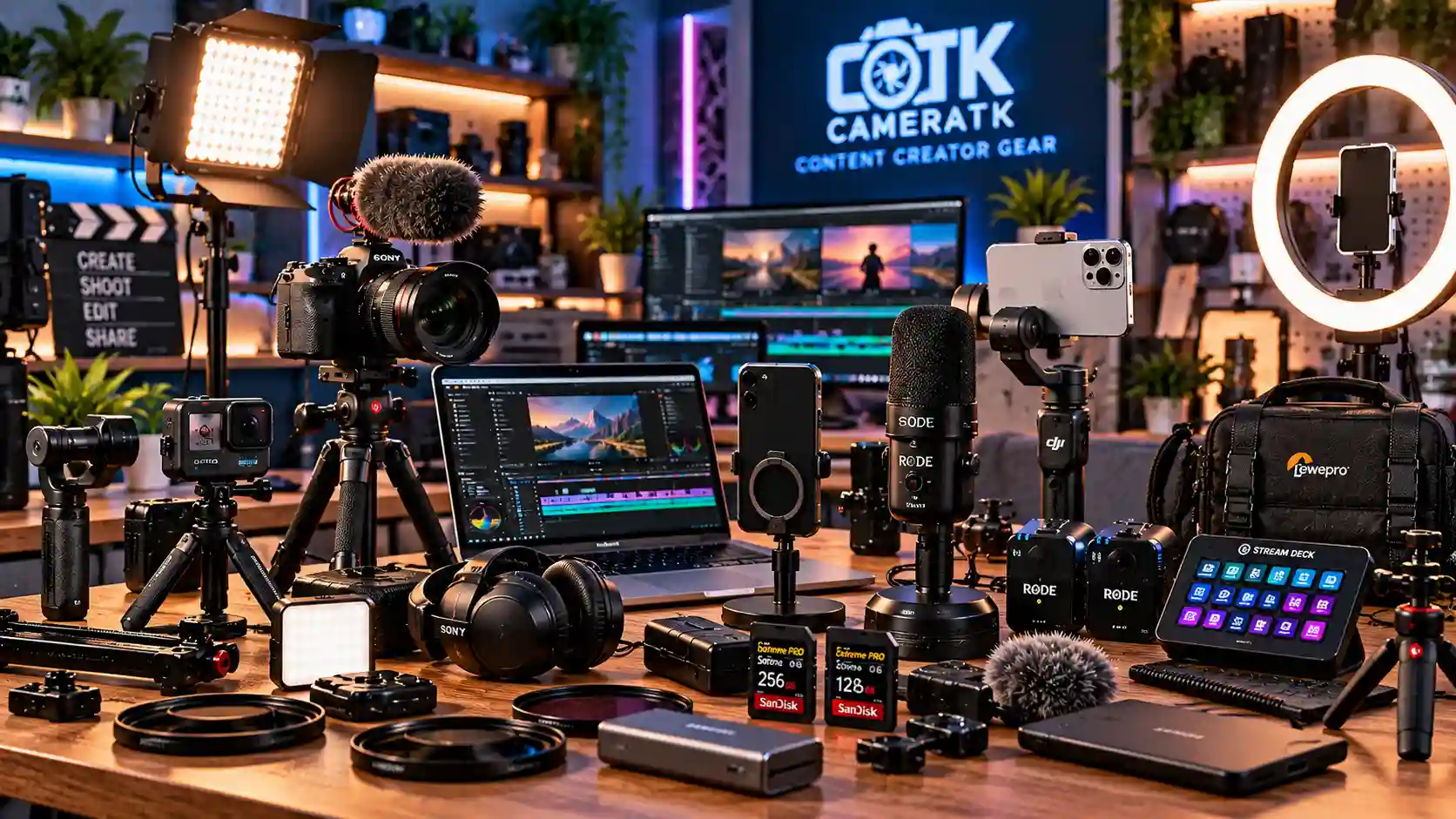
Build your content creation setup with cameras, lighting, audio, stabilization, and creator-focused gear for vlogging, streaming, social media, and everyday content production.
Shop Content Creator Gear
Find the right content creator gear for vlogging, streaming, mobile video, and social media production. Explore essential equipment and accessories to build a setup that fits your creative workflow.
Content Creator Buying Guide
Build a practical content creation setup with cameras, microphones, lighting, stabilization, and creator accessories. Whether you produce vlogs, live streams, tutorials, or social media videos, choose equipment that fits your workflow and goals.
1. Choose the Right Vlogging Setup
Start with a camera or compatible mobile device that suits your shooting style. Travel vloggers may prefer compact, portable equipment, while studio creators may benefit from interchangeable lenses and flexible recording options.
Explore cameras and vlogging kits to find a setup that suits your content.
2. Build Your Streaming Setup
A reliable streaming setup combines clear video, good audio, and consistent lighting. Choose your equipment according to your platform, available space, and whether you stream gaming, tutorials, interviews, or live presentations.
Start with suitable streaming kits and compatible video equipment.
3. Improve Your Lighting
Good lighting helps reveal detail, improve image consistency, and create a professional look. LED lights are versatile for home studios, product videos, tutorials, and talking-head content. Use diffusers when you need softer illumination.
Browse LED lights and softboxes to build your lighting setup.
4. Choose the Right Microphone
Clear speech makes videos easier to follow. Wireless microphones can suit presenters and mobile creators, while USB microphones are useful for desk-based recording and streaming. Consider your environment before choosing.
Explore wireless microphones and USB microphones.
5. Keep Your Shots Stable
Stabilization helps reduce unwanted camera movement. Tripods are useful for fixed shots, tutorials, and interviews, while gimbals can help create smoother moving footage. Choose a support system that matches your device and payload.
6. Create Better Mobile Content
Smartphones can be effective tools for short-form video, social media, and behind-the-scenes content. A compatible phone gimbal, mobile tripod, and external microphone can make filming easier without adding a bulky setup.
Explore phone gimbals, phone microphones, and mobile tripods.
7. Build a Portable Creator Kit
For creators working on location, portability matters. Prioritize compact equipment, dependable batteries, suitable storage, and protective carrying solutions. A well-planned kit makes it easier to record wherever your projects take you.
Choose practical power accessories and bags and cases for your equipment.
8. Choose Useful Creator Accessories
The right accessories can simplify your workflow. Depending on your setup, you may need mounts, cables, adapters, storage cards, card readers, or cleaning tools. Check device compatibility before purchasing.
Browse accessories to complete your setup with the essentials you need.
9. Build Your Content Creator Setup
You do not need to purchase every item at once. Begin with reliable video, clear audio, and suitable lighting. Add stabilization, storage, and specialized accessories as your content and production requirements grow.
Focus on compatibility, ease of use, and equipment that solves a real need in your everyday workflow.
Learn More About Content Creation
For practical guidance on video production and creator workflows, explore the official Blackmagic Design product resources. Use manufacturer information to check features and compatibility before choosing equipment.
Ready to Create Better Content?
Find cameras, microphones, lighting, stabilization tools, and creator accessories to build a setup that fits your content, workflow, and creative goals.
Explore All Gear →